


Installation Guide
Step-by-step instructions for all devices
Smart TV
Samsung, LG, Sony, etc.
- From your TV store, you can download any of the following applications: IBO PLAYER, ABEPlayerTV, BOBPLAYER, MACPLAYER, VIRGINIA, HOT Player, IBO PRO APP, AllPlayer, HUSHPLAY, KTNPLAYER, FAMILYPLAYER, IBOSSPLAYER, KING4KPLAYER, IBOSTB, IBOXXPLAYER, DUPLEX, BOBPRO, BOBPREMIUM, IBOSOLPlayer, FLIXNET, SMARTONEPRO.
You can find all download and activation links on our Applications page. - Once you have installed the chosen application, open it and you should see the MAC address displayed on the screen, as shown in the example below:
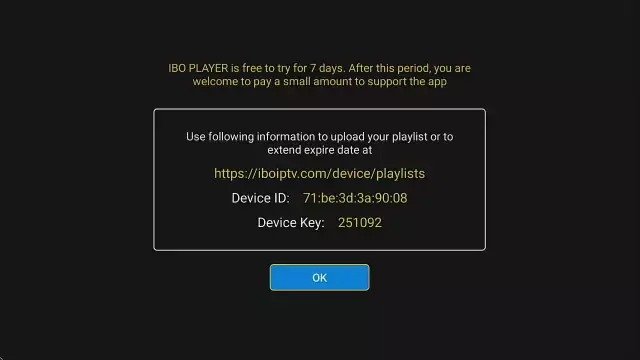
- Add Your M3U Playlist to IBO Player:
Option 1: Send us the MAC address and Device key via Email or WhatsApp and we will setup your subscription.— OR —
Option 2: Set it up yourself:
- Go to the IBO Player website: https://iboplayer.com/
- Click on Manage Playlists or go directly to: https://iboplayer.com/device/login
- Enter your MAC address and Device Key to log in.
- Click Add Playlist and paste the M3U link we sent you via email. - After a few minutes, restart or reboot your TV and then open the application. You should now be able to access the Best Stream. Enjoy your channels!
Android/iOS
Phone, Tablet, Android TV, iPhone, iPad, Apple TV
- For Android: Download the MYTVOnline+ Lecteur IPTV app from this link: Download MYTVOnline+ for Android.
Install the app on your device. - For iOS: Download the MYTVOnline+ Lecteur IPTV app from this link: Download MYTVOnline+ for iOS.
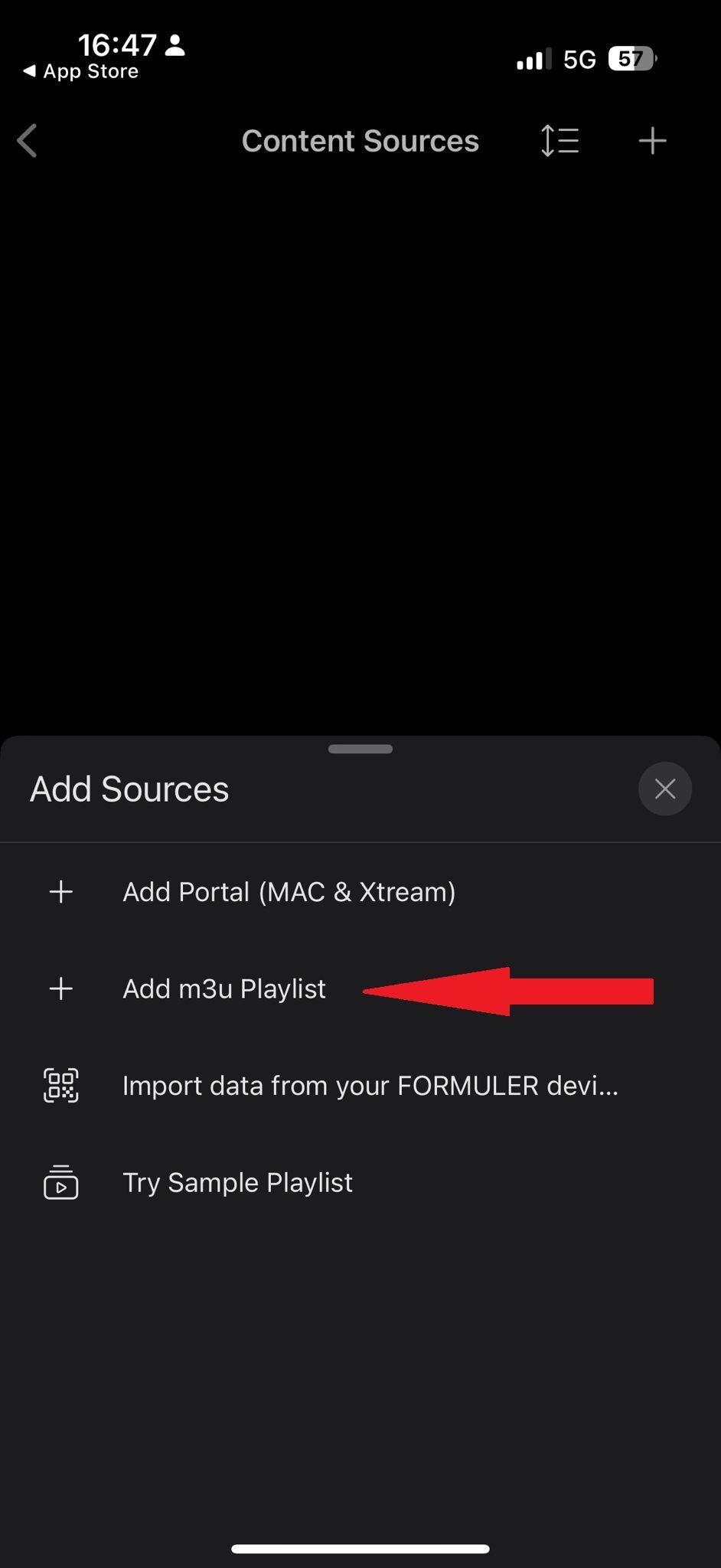
Install the app on your device. - Setup MYTVOnline+ via Playlist:
Open the app and press on "Settings"
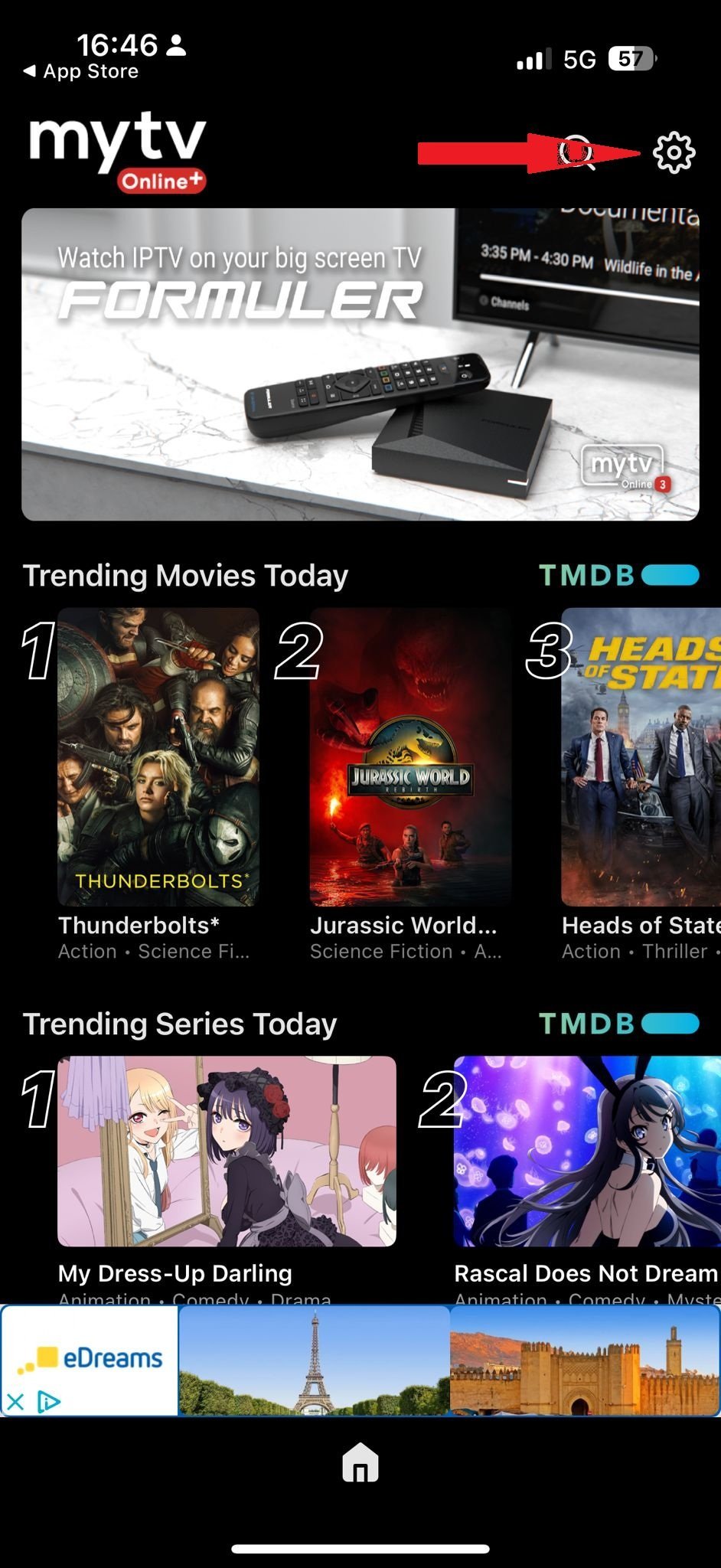
- Press on "Content Sources"
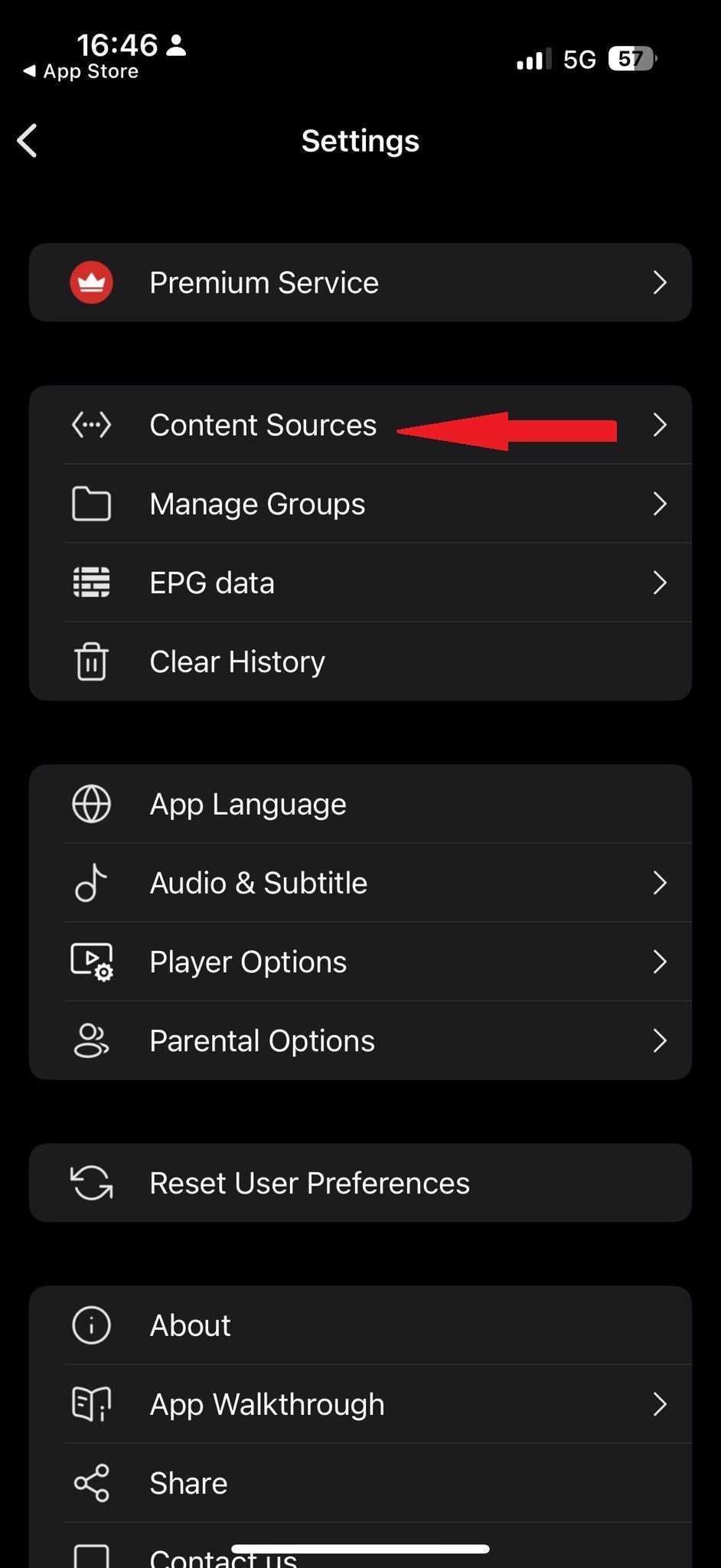
- Press on the "+" icon
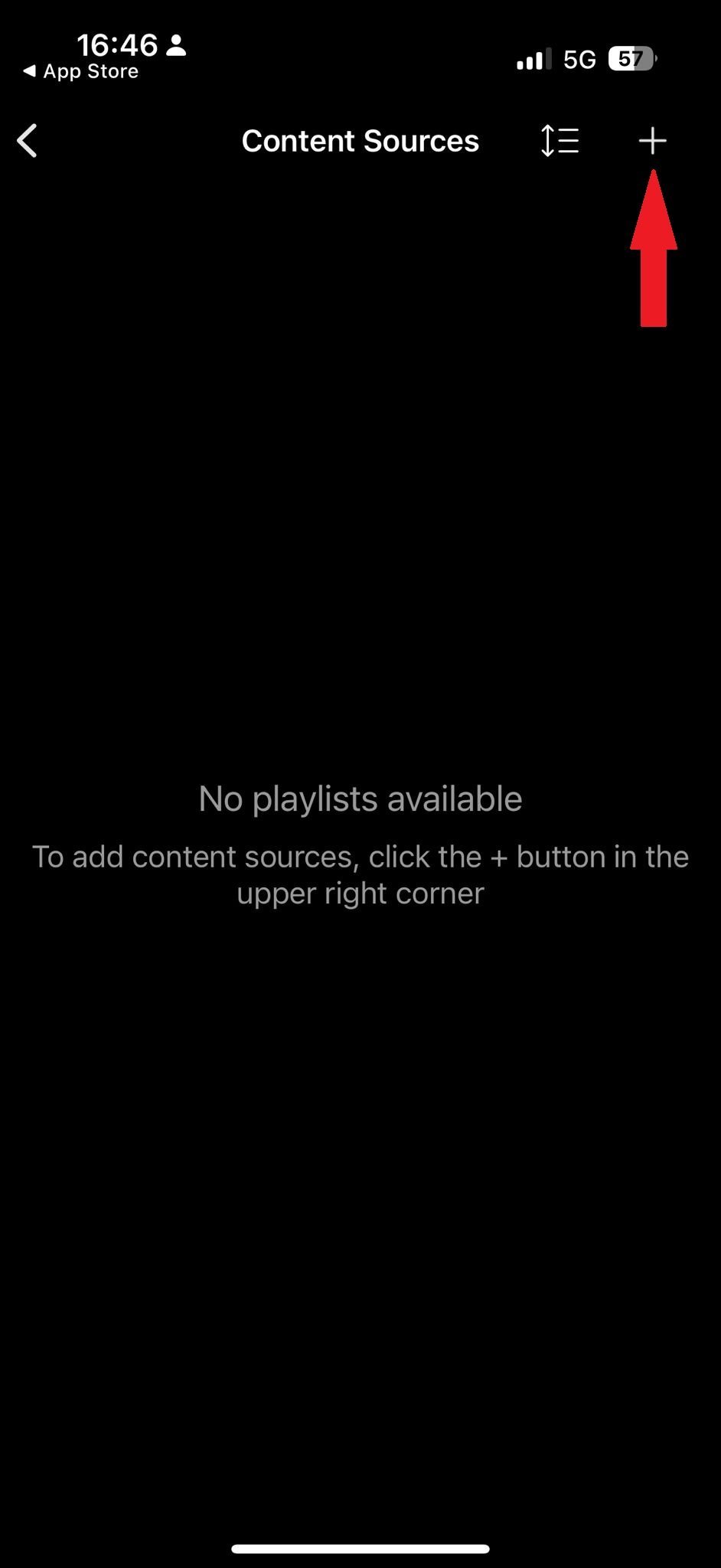
- Press on "Add m3u Playlist"
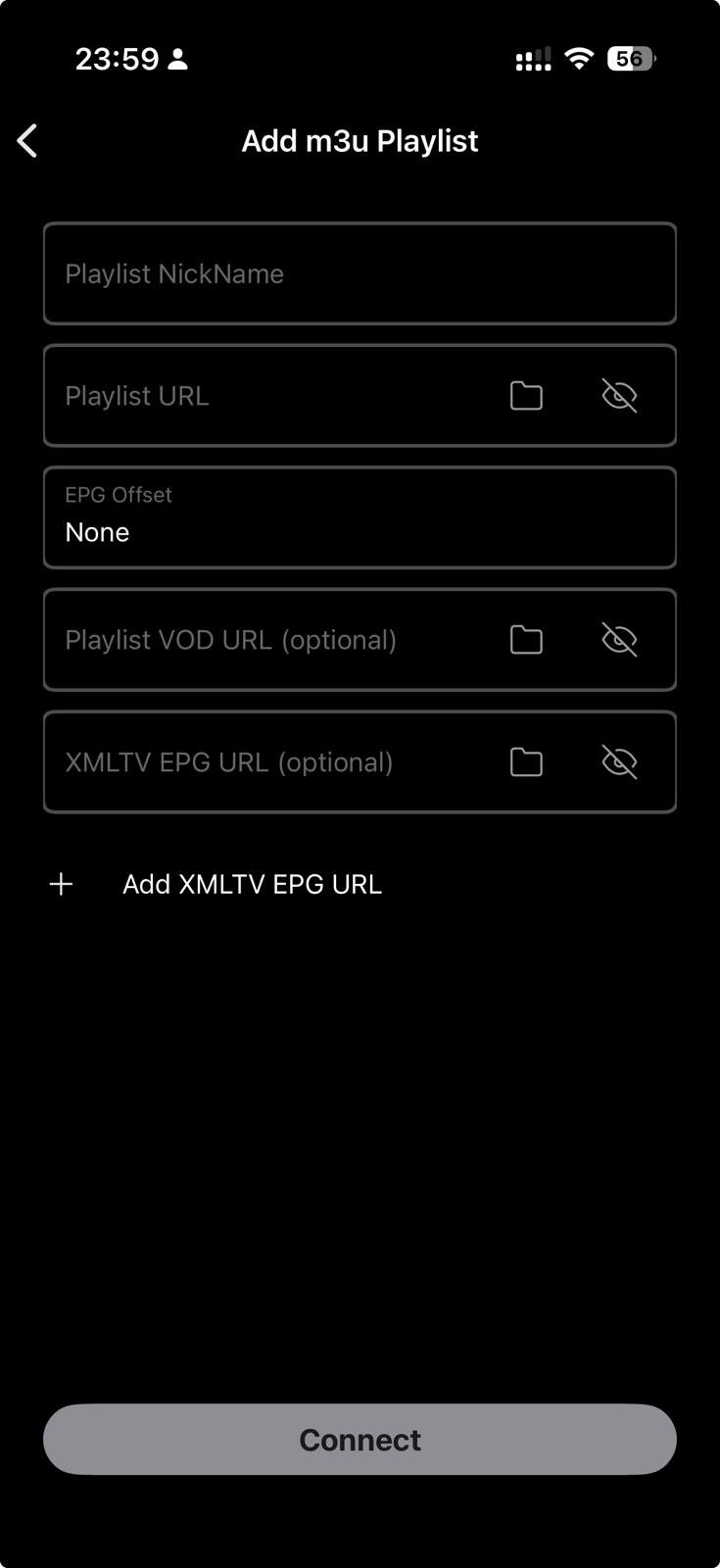
- Add your playlist URL:
In the Nickname field, enter any name (e.g. YouPTV).
In the Playlist URL field, paste the M3U link we emailed you.
Amazon Fire Stick
Fire TV, Fire Stick 4K
- Installing IBO Player on Your Amazon Fire TV Stick:
While IBO Player is available on Google Play and App Store, it is not available in the Amazon Appstore. Therefore, you will need to sideload it.
First, enable apps from unknown sources in your FireStick settings. - 1. Enable Apps from Unknown Sources:
On your FireStick home screen, navigate to the top menu bar and select Settings.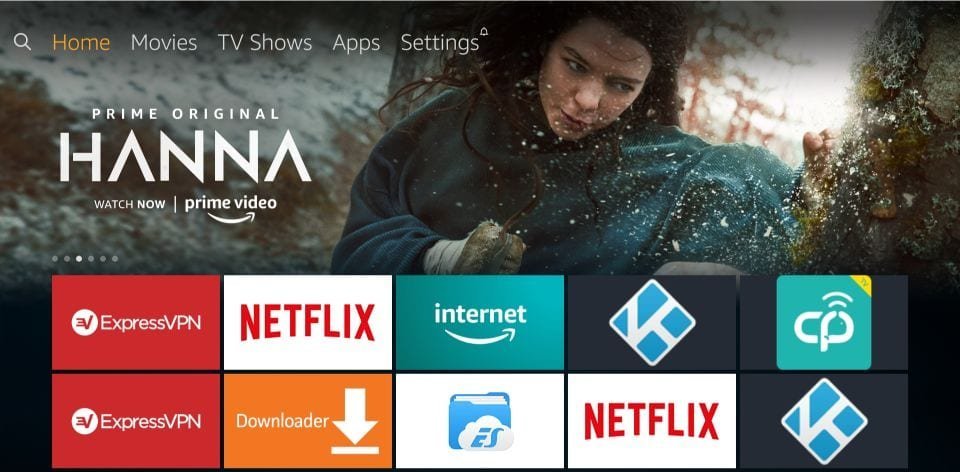
- In the Settings menu, choose My Fire TV.
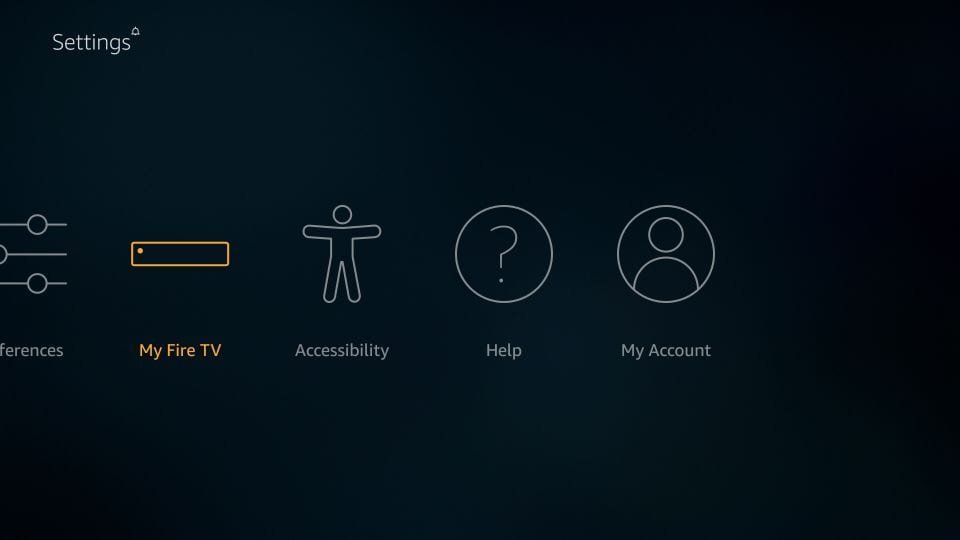
- Select Developer Options.
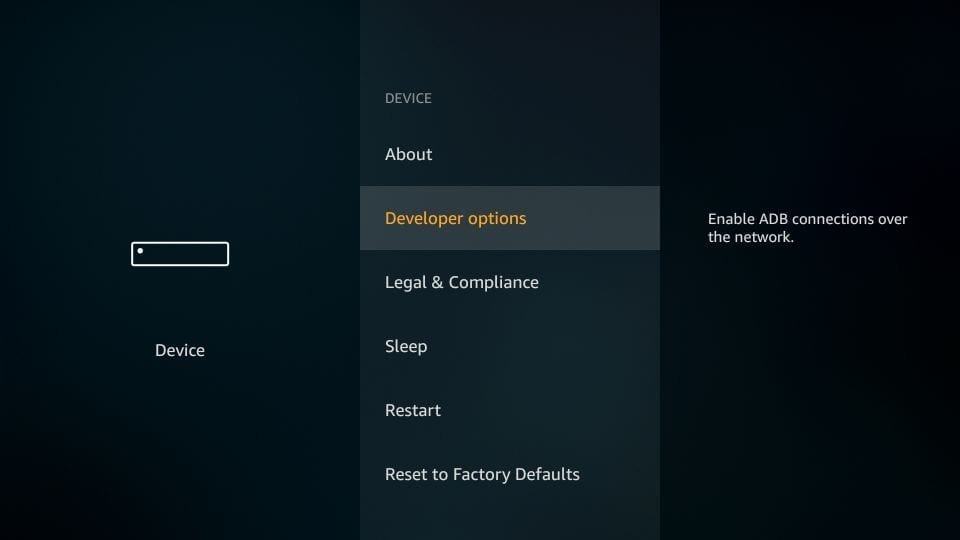
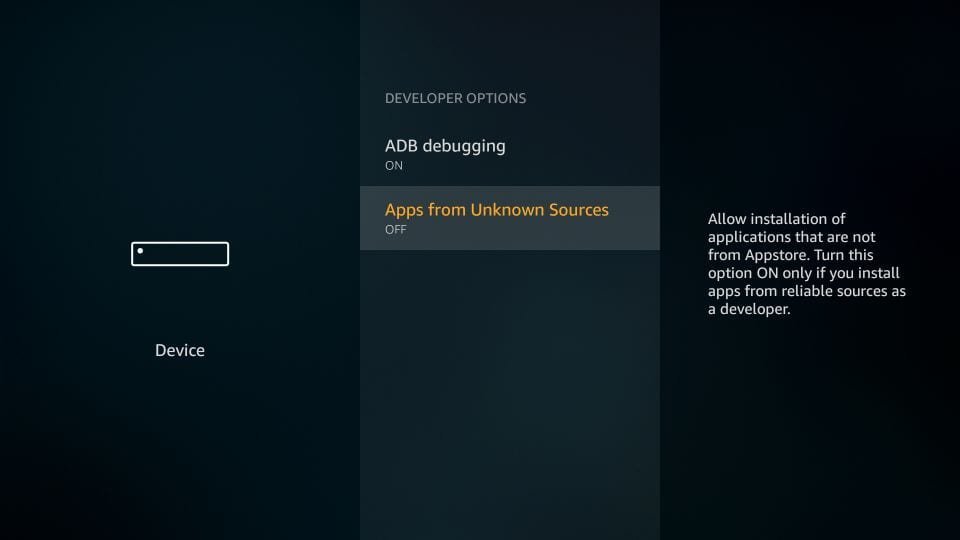
- If Apps from Unknown Sources is OFF, click to turn it ON.
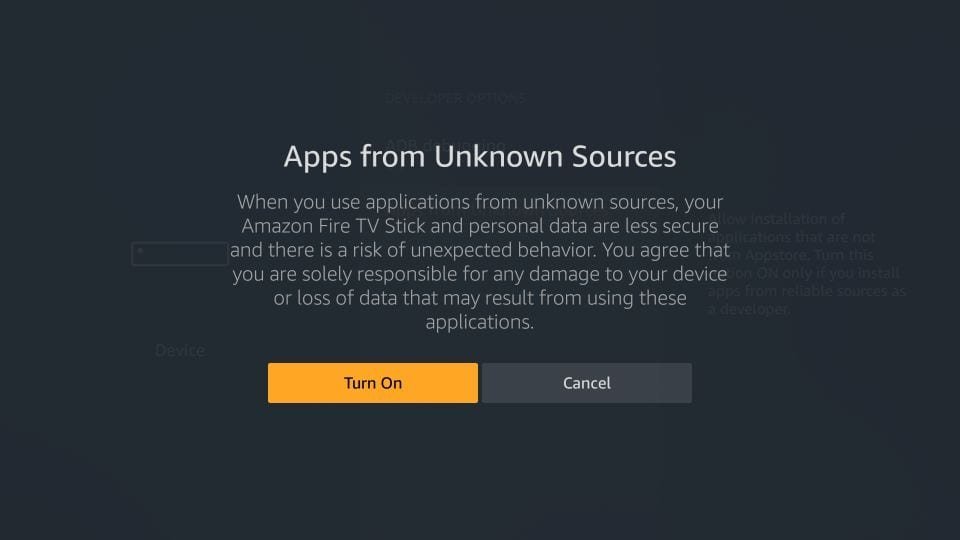
- Click Turn on on the warning message.
- 2. Install the Downloader App:
Go back to Home > Search.
Type Downloader and select it.
Download and install the app.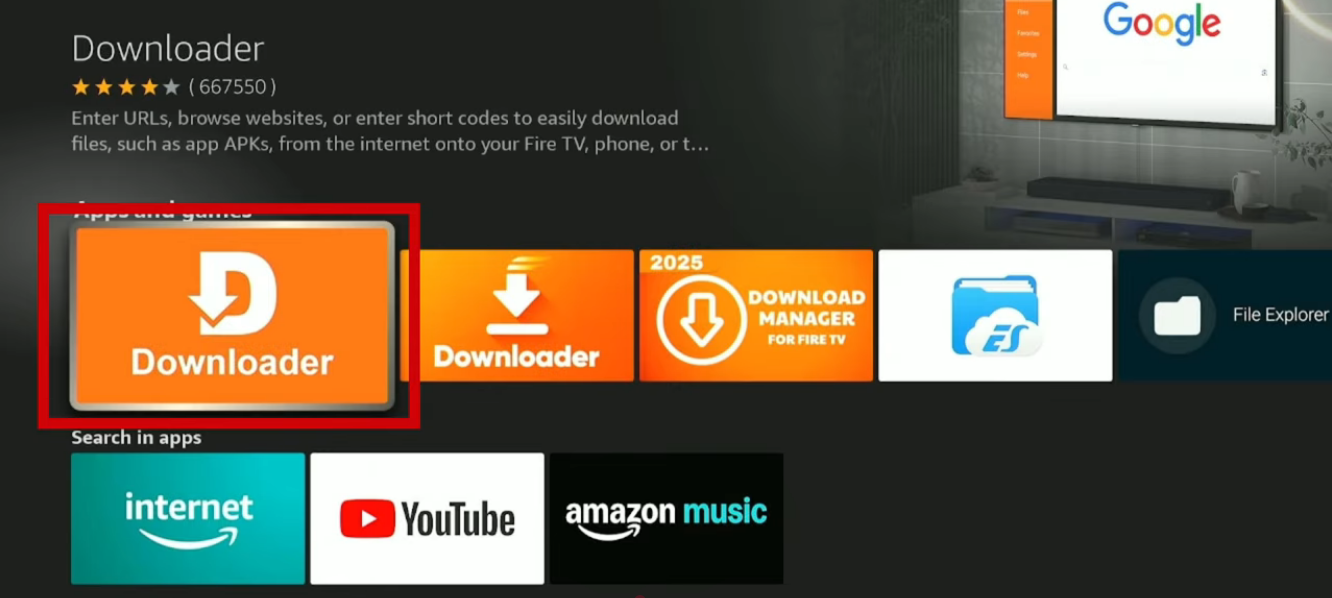
- 3. Download IBO Player:
Open Downloader. In the URL field, enter code 511693 and click GO.
A pop-up will appear to download IBO Player. Download and install it.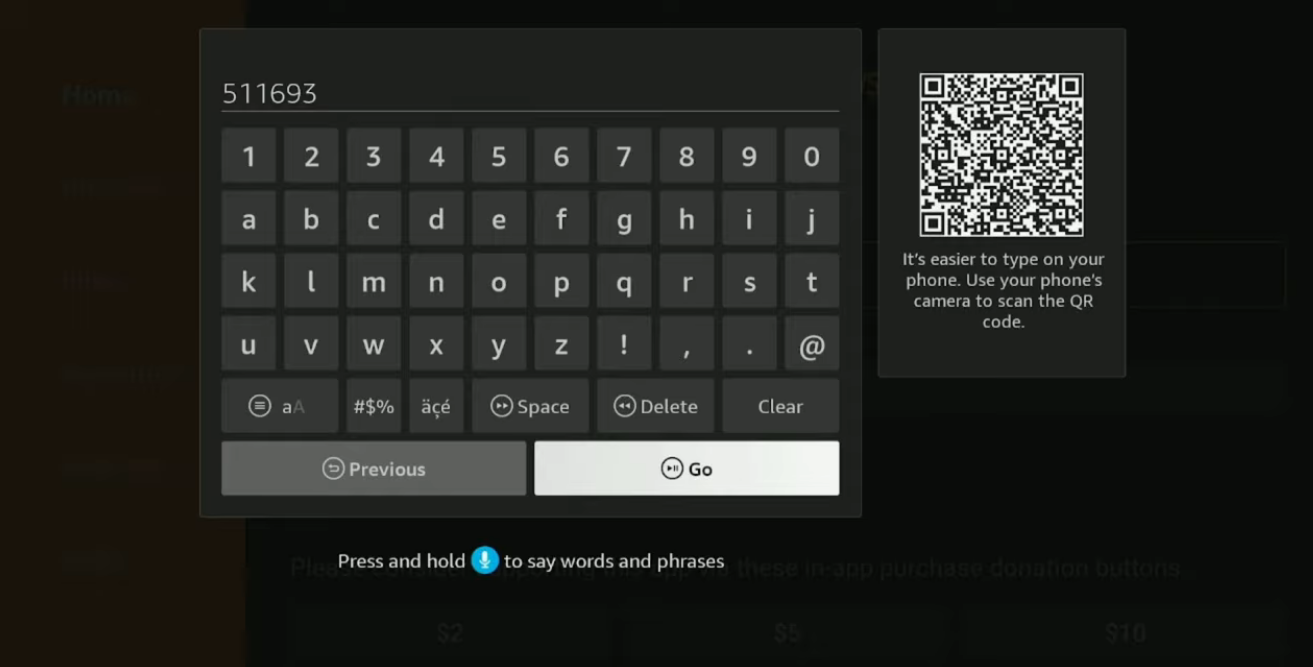
- 4. Final Phase — Setup your playlist:
Open IBO Player. You will see your device's MAC address and Device Key. - Add Your M3U Playlist to IBO Player:
Option 1: Send us the MAC address and Device key via Email or WhatsApp and we will setup your subscription.— OR —
Option 2: Set it up yourself:
- Go to the IBO Player website: https://iboplayer.com/
- Click on Manage Playlists or go directly to: https://iboplayer.com/device/login
- Enter your MAC address and Device Key to log in.
- Click Add Playlist and paste the M3U link we sent you via email.
Windows/Mac
Windows 10/11, macOS
- There are many free IPTV players available for Windows/Mac (VLC, IPTV Smarters...).
However, we recommend IBO Player. It is a premium player, most stable and professional (offers a 7-day free trial).
Download IBO Player
From your TV store, you can download any of the following applications: IBO PLAYER, ABEPlayerTV, BOBPLAYER, MACPLAYER, VIRGINIA, HOT Player, IBO PRO APP, AllPlayer, HUSHPLAY, KTNPLAYER, FAMILYPLAYER, IBOSSPLAYER, KING4KPLAYER, IBOSTB, IBOXXPLAYER, DUPLEX, BOBPRO, BOBPREMIUM, IBOSOLPlayer, FLIXNET, SMARTONEPRO.
You can find all download and activation links on our Applications page. - Setup Guide:
Open IBO Player. You will see your device's MAC address and Device Key. - Add Your M3U Playlist to IBO Player:
Option 1: Send us the MAC address and Device key via Email or WhatsApp and we will setup your subscription.— OR —
Option 2: Set it up yourself:
- Go to the IBO Player website: https://iboplayer.com/
- Click on Manage Playlists or go directly to: https://iboplayer.com/device/login
- Enter your MAC address and Device Key to log in.
- Click Add Playlist and paste the M3U link we sent you via email.
MAG Box
MAG 250, 254, 322, 420, etc.
- Turn on your MAG device and go to Settings
- Select System Settings > Servers > Portals
- Enter the Portal URL provided in your email
- Save settings and restart the device
- Your channels will load automatically!
Enigma2
Dreambox, VU+, etc.
- Install XtreamTV or E2iPlayer plugin
- Open the plugin and go to Settings
- Enter your Xtream Codes credentials (provided in email)
- Save and reload the bouquet
- Your IPTV channels are now available!
Important Information
- Your login credentials will be sent to your email after activation
- Minimum internet speed required: 10 Mbps (25 Mbps for 4K)
- Use a VPN for better privacy and access
- Contact our 24/7 support if you need help with installation